The Arduino Humidity & Temperaturesensor DHT11 enables you to conveniently measure both temperature and relative humidity using just a single sensor. I acquired this sensor from Amazon.de, where you can discover various models that share the same design. If you’re willing to invest some extra time, you may consider opting for the Singaporean model. Although the price is remarkably low, it’s worth noting that the delivery time can be quite long, stretching up to 3 weeks.
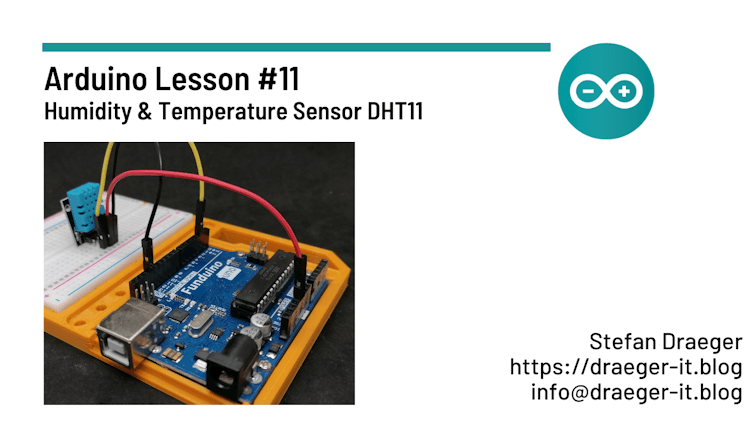
Technical data of sensor DHT11
- Measuring range of relative humidity, 20 % to 90 %.
- Tolerance of relative humidity measuring range ±5 %.
- Measuring range of temperature 0 to 60 °C
- Tolerance of measuring range for temperature ±2 °C
- Operating voltage 5 V
If you invest a little more here and switch to the DHT22* model, you can work with improved values.
Note from me: The links marked with an asterisk (*) are affiliate links. If you make a purchase through these links, I will receive a small commission to help support this blog. The price for you remains unchanged. Thank you for your support!
Technical data of the sensor DHT22:
- Measuring range of relative humidity, 0% to 100%.
- Measuring range of temperature -40 °C to 80 °C
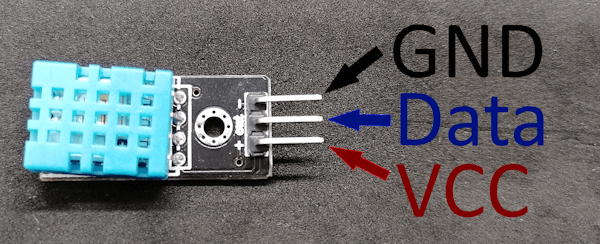
Pinout of sensor DHT11
The pinout of the DHT11 sensor is shown below. You can get the sensor in many variants, here you have to pay special attention to the labeling on the board!
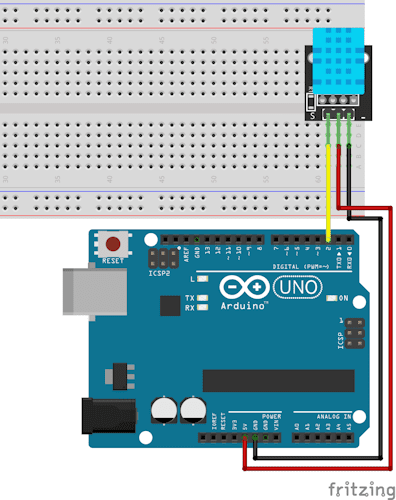
The circuit
Here now the short circuit for the DHT11 sensor.
The source code
For the operation of the DHT11 sensor on the Sainsmart Mega2560 the DHTLibrary is required, which can be downloaded from the GitHub repository of Rob Tilaart.
#include <dhtnew.h>

//sensor connected to digital pin 2
#define sensorPin 2

//initiate dht object to communicate with the sensor
DHTNEW dhtSensor(sensorPin);


void setup() {
  //begin communication with serial interface
  //with 9600 baud
  Serial.begin(9600);
}

void loop() {
  //read sensor value
  int chk = dhtSensor.read();

  //print values to the serial interface
  Serial.print("temperature: ");
  //print temperature with one digit after comma.
  Serial.print(dhtSensor.getTemperature(), 1);
  Serial.println("C");
  Serial.print("humidity: ");
  //print humidity with one digit after comma
  Serial.print(dhtSensor.getHumidity(), 1);
  Serial.println("%");
  Serial.println("");

  //a short break for 2 seconds
  delay(2000);
}
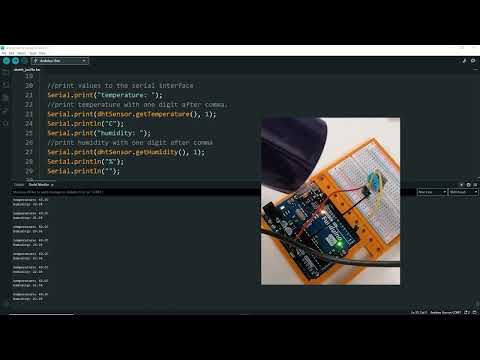
The video
The circuit is quite simple and done with 3 small cables and depending on the variant with an extra resistor. The interesting thing is more on the monitor in this video.
Letzte Aktualisierung am: 10. March 2024